Plan Insights
By following these expert insights, you save time, avoid setup issues, and maximize the value of your subscription. Our section also includes troubleshooting recommendations, performance optimization tips, and links to helpful resources such as setup guides, supported apps, and our blog for IPTV news and trends. Whether you are a first-time subscriber or a reseller, WkMaximize Prime IPTV ensures you have all the information and tools necessary for effortless streaming, seamless device integration, and an enjoyable entertainment experience across all your devices.
1. Welcome to Your IPTV Knowledge Center
IPTV (Internet Protocol Television) is a modern way to stream your favorite movies, series, and live channels directly over the internet to compatible devices. Unlike traditional cable or satellite TV, IPTV delivers high-quality content anytime, anywhere, giving you freedom, flexibility, and control over what you watch and how you watch it.
This guide is designed to serve as a one-stop resource for everything about IPTV, including:
-
Understanding subscription plans and features
-
Device setup and compatibility tips
-
Advanced streaming optimization
-
Troubleshooting common issues
-
FAQs and customer support guidance
-
Reseller insights and credit system tips
-
Blog insights, news, and IPTV trends
-
Refund and returns policy
Whether you are a first-time subscriber, a tech-savvy user, or a reseller, this page is designed to make your IPTV experience smooth and enjoyable.
Start exploring our plans:
2. Understanding IPTV Plans in Depth
A key to a good IPTV experience is choosing the right subscription plan. Here’s a detailed breakdown of what our plans offer:
2.1 Types of Plans
-
Monthly Plans: Ideal for testing the service or for short-term use
-
Quarterly Plans: Perfect for consistent viewers who want convenience and cost savings
-
Yearly Plans: Best for long-term users with maximum savings and stable access
2.2 Features of All Plans
-
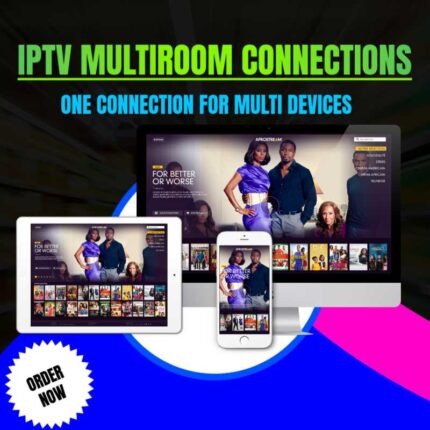
Multi-device Access: Watch on Smart TVs, smartphones, tablets, laptops, and TV boxes
-
Simultaneous Connections: Certain plans allow 2–3 devices to stream at the same time
-
Content Access: Includes movies, series, and live channels via login credentials
-
Reseller Credits: Each subscription contributes to reseller account points for future upgrades
-
High-quality Streaming: HD, Full HD, or 4K resolution depending on the device and internet speed
2.3 Choosing the Right Plan
-
Consider number of devices you want to connect
-
Check content preferences: movies, series, live channels
-
Evaluate internet speed and device compatibility
-
Review reseller benefits if applicable
Compare Plans and Benefits:
Learn About Refunds & Returns:
3. Device Compatibility & Setup
Getting IPTV running on your devices correctly is crucial for uninterrupted streaming.
3.1 Supported Devices
-
Smart TVs: LG, Samsung, Sony, Panasonic (Check app compatibility)
-
TV Boxes & Streaming Devices: Android TV boxes, Fire TV Stick, Nvidia Shield
-
Mobile Devices: Android and iOS smartphones/tablets
-
Computers & Laptops: Windows, Mac, and Linux via VLC Media Player or browser-based apps
3.2 Recommended Apps for IPTV
-
Smart IPTV – Simple interface, widely supported
-
IPTV Smarters – Advanced features for multi-device streaming
-
Kodi – Open-source media player for power users
-
VLC Media Player – For PC/Mac users with M3U support
3.3 Step-by-Step Device Setup Tips
Smart TVs & TV Boxes
-
Download the IPTV app from the app store.
-
Open the app and select “Add Subscription” or “Enter M3U URL.”
-
Carefully enter your login credentials.
-
Test playback to confirm stability.
Mobile Devices
-
Download a supported IPTV app (e.g., IPTV Smarters).
-
Input your M3U URL or Xtream Codes credentials.
-
Make sure Wi-Fi or mobile data is strong.
-
Avoid running other apps that consume bandwidth.
Computers & Laptops
-
Use VLC or your preferred IPTV desktop app.
-
Enter the M3U URL provided.
-
Close unnecessary programs to optimize streaming.
-
Adjust video settings for resolution and buffering.
3.4 Advanced Device Tips
-
Use wired connections for best performance on Smart TVs or TV boxes
-
Update firmware on TVs and boxes regularly
-
Clear app cache to avoid slow playback
-
For Wi-Fi, use 5GHz band instead of 2.4GHz if possible
Device Guides & Setup:
Step-by-step Setup Guides:
4. Optimizing Your IPTV Experience
A smooth IPTV experience depends on both your devices and your internet connection.
4.1 Internet Requirements
-
Minimum 15 Mbps for HD content
-
Minimum 25 Mbps for 4K streams
-
Avoid running heavy downloads simultaneously
4.2 Streaming Tips
-
Keep apps updated
-
Close unnecessary background apps
-
Avoid VPNs unless needed
-
Adjust video resolution according to device capabilities
4.3 Security Tips
-
Never share credentials
-
Use strong Wi-Fi passwords
-
Update devices regularly
-
Avoid public networks for IPTV login
5. Understanding IPTV Terms
Here’s a complete glossary to help you navigate IPTV easily:
-
M3U URL: Playlist file to load channels and content
-
Xtream Codes: IPTV login system for app authentication
-
VOD (Video on Demand): Movies or series available anytime
-
Portal URL (DNS): Direct link to your IPTV server for device login
-
Buffering: Temporary pause caused by slow internet
-
Resolution: Video quality (HD, Full HD, 4K)
-
Connections: Number of devices you can stream simultaneously
-
Credit System: Points for resellers to redeem for subscriptions
Knowing these terms helps reduce troubleshooting time and improves user confidence.
6. Common Questions & Troubleshooting
-
Switching Devices: Log in on new device using your credentials
-
Multiple Device Streaming: Allowed according to your plan
-
Login Problems: Double-check credentials or contact support
-
Buffering Issues: Check internet, restart app/device
-
Renewals & Upgrades: Available via dashboard or support
-
App Crashes: Clear cache, restart device, update app
Full FAQs:
7. Reseller Tips & Credit System
For resellers, proper account management can maximize benefits:
-
Track credits earned per subscription
-
Monitor active customer connections
-
Plan renewals and upgrades efficiently
-
Educate customers about device setup and usage
-
Stay updated on IPTV trends and news via blog
Reseller Panel Guides:
8. Helpful Resources & Downloads
-
Stream PRO Player: Easy IPTV access across devices
-
Setup Guides: Step-by-step device instructions
-
Channel Information: Know what your plan includes
-
IPTV Blog: Tips, tricks, and industry news
-
Refund & Returns Policy: Protect your purchase
Download Stream PRO Player:

Free IPTV Trial Order:
IPTV Blog & Tips:
9. Refunds & Returns
We value customer satisfaction. Our Refunds & Returns Policy provides:
-
Clear criteria for eligibility
-
Step-by-step instructions to request refunds
-
Transparent and fair process
-
Support during refund processing
Learn More:
10. Additional Tips & Insights
-
Device Optimization: Firmware and app updates
-
Internet Settings: Adjust DNS for faster streaming if needed
-
Troubleshooting Tools: Use VLC or built-in diagnostics
-
Content Planning: Use VOD and EPG to schedule viewing
-
Security Measures: Antivirus and Wi-Fi security for devices
11. Maximizing Your IPTV Experience
-
Explore advanced setup guides
-
Follow the blog for updates, news, and tips
-
Monitor plan features and reseller credits
-
Learn streaming optimization techniques
-
Stay informed about industry trends
Setup Guides & Tutorials:
IPTV Blog & Tips:
12. WkMaximize – Call to Action♥
This ultra-complete resource page equips you with everything needed for a successful IPTV experience — from plans, devices, setup, optimization, FAQs, reseller insights, refund info, and blog updates, all in one place.
Choose your plan today and enjoy IPTV on your devices:
Claim Your FREE IPTV Trial!
Why Choose Us?

Universal Compatibility
Stream effortlessly across all devices — Smart TVs, Firestick, mobile, tablets, and more.

Buffer-Free Streaming
Enjoy smooth, uninterrupted streaming with our high-performance servers.

Flexible Subscriptions
Choose the perfect plan for your needs — available in 1, 3, 6, 12, and 24-month options.

Real-Time Support
Our dedicated support team is available 24/7 to assist you with any questions or issues.